ChatGPT comes to Apple CarPlay with iOS 26.4 update
OpenAI's ChatGPT is now available as a hands-free voice assistant in Apple CarPlay requiring iOS 26.4 and the latest ChatGPT app to get started.

Rob Leigh
Key takeaways
- ChatGPT in Apple CarPlay requires iOS 26.4 and the latest version of the ChatGPT app, and is available on all ChatGPT plans at no extra cost.
- The integration is voice-only by design - ChatGPT cannot control your car, access Maps, read messages or see your live location.
- You can enable auto-start in voice mode via ChatGPT's settings so it launches hands-free every time you connect to CarPlay.
ChatGPT has landed in Apple CarPlay giving iPhone users a proper conversational AI option behind the wheel for the first time.
The update arrived with iOS 26.4 which opens CarPlay to third-party AI assistants including ChatGPT, Google Gemini and Claude. OpenAI moved first with its CarPlay integration now live globally across all ChatGPT plans - free or paid. It's a meaningful shift for anyone who's spent years wishing Siri could handle more than the basics.
Siri is still the default voice system in CarPlay and handles the usual commands - sending messages, pulling up directions, controlling music. But when a question stumps it or you just want a proper back-and-forth, ChatGPT is now one tap away.
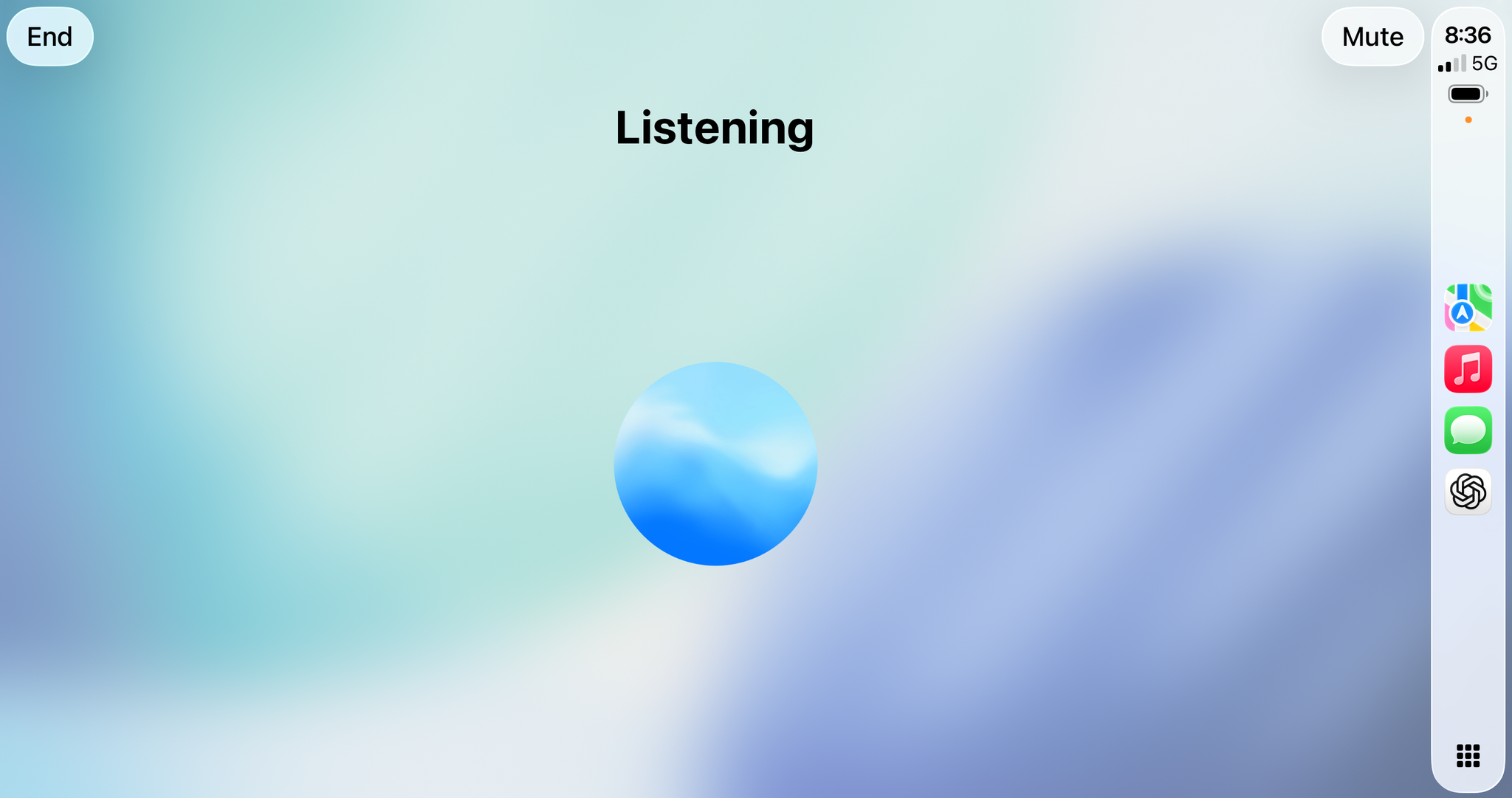
How to set up ChatGPT in Apple CarPlay
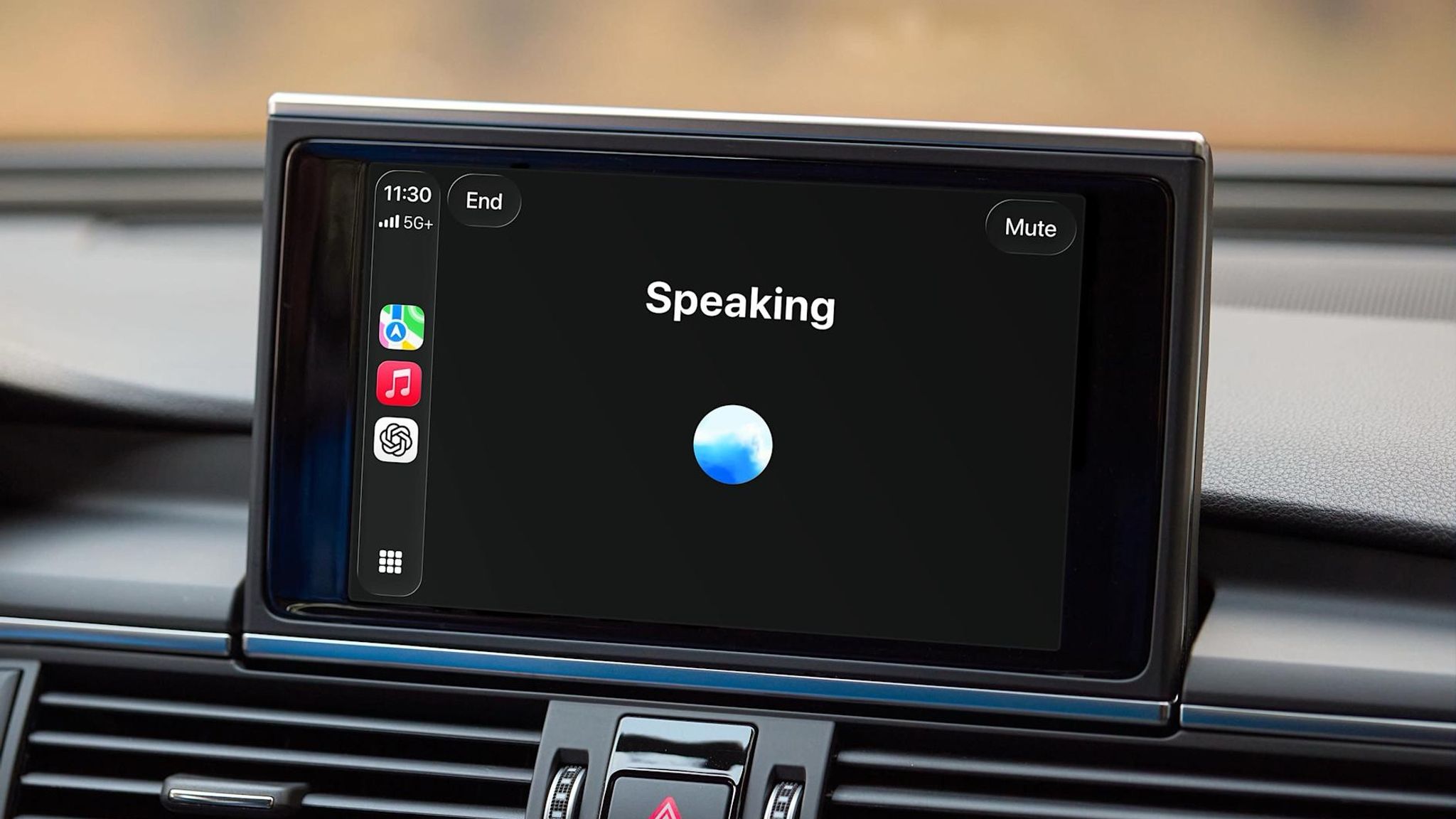
Setup is simple. Connect your iPhone to your car and find the ChatGPT icon on your CarPlay screen. Tap it, select "New voice chat," and wait for the display to shift from Connecting to Listening. From there, speak naturally - ChatGPT responds just as it would on your phone.
Everything runs through voice. Apple's CarPlay rules don't allow on-screen text input while driving, so the entire experience is built around spoken prompts and spoken replies. The interface is minimal by design - a simple animated orb, a mute button, and an end session option.
To skip the tap-to-start step on every drive, open the ChatGPT app on your iPhone, go to Settings, and enable "Start automatically in CarPlay" under the Voice section. After that, ChatGPT opens straight into voice mode each time you connect. Alternatively, just say "Siri, open ChatGPT" and it hands off without you touching the screen at all.
You can also resume previous conversations or continue a chat within a saved project, which is handy if you're mid-way through something and want to pick up where you left off.
What ChatGPT in CarPlay can and can't do
Think of it less like a smart assistant and more like a well-informed passenger. ChatGPT can hold a genuine back-and-forth conversation, answer questions Siri typically stumbles over, help you think through a problem, or keep you company on a long drive. Reviewers have used it to get casual local recommendations, have complex questions explained clearly mid-commute, and run car-friendly word games with passengers along for the ride.
What it can't do is equally worth knowing. ChatGPT has no access to your live location, can't read or send messages, won't control music or navigation, and can't interact with any other app on your phone. For all of that, Siri remains the tool. The two are designed to complement each other rather than compete.
There's no wake word either - you have to open the app manually or via Siri before each session. That friction is deliberate. Apple is cautious about anything that pulls a driver's attention away from the road and requiring an intentional action to start a conversation is part of that.
ChatGPT in CarPlay vs Siri - what's the difference
The simplest way to frame it: Siri handles tasks, ChatGPT handles conversations.
Siri can fire off a text, set a reminder, or pull up directions with a single command. ChatGPT can walk you through a complex question, explain something in depth, debate topics, or just make a long drive more interesting. Ask it why traffic jams appear out of nowhere, what to do if you have 20 spare minutes in an unfamiliar suburb, or to come up with a road trip game - it handles all of it naturally.
Neither replaces the other. Used together, they cover more ground than either can alone.
Gemini support through CarPlay is also on the way, with Google expected to adapt its app following OpenAI's lead. Claude support should follow too, given iOS 26.4 includes the framework for all three.
If your daily commute has you talking at Siri and getting blank stares back, this update is worth five minutes of your time to set up.
Frequently asked questions
Does ChatGPT in CarPlay cost anything?
No - the CarPlay integration is available on all ChatGPT plans, including the free tier. You just need iOS 26.4 and the latest version of the app.
Can ChatGPT give me directions through CarPlay?
No. ChatGPT cannot access Maps or your live location. For navigation, you'll still need Apple Maps, Google Maps or Waze as usual.
Will Google Gemini and Claude also work in CarPlay?
iOS 26.4 opens CarPlay to third-party AI assistants including Gemini and Claude, but each developer needs to update their app first. OpenAI launched first - others are expected to follow.
Rob Leigh
Co-founder & Director
Rob Leigh is Co-founder and Director of The Beep based in Melbourne, Australia. He has 15+ years inside a major automotive OEM, specialising in product planning, pricing and vehicle strategy.
About Author